Community
Books that travel: book swaps explained
How to swap books with readers near you on LinQfolio: list a book, make an offer, meet up. Free, with no money involved.
The LinQfolio teamCommunity6 November 20265 min read
Community
Books that travel: book swaps explained
The LinQfolio team
Count the books on your shelves that you will never reread. Not the ones you love too much to part with: the others. The thriller you finished in two evenings, the novel someone gave you that wasn’t really for you, the essay you bought for a trip. They are in perfect condition, they still have everything to say, and they are gathering dust.
Somewhere near you, someone is looking for exactly one of them. And they probably have, on their own shelves, the book you were planning to buy next month.
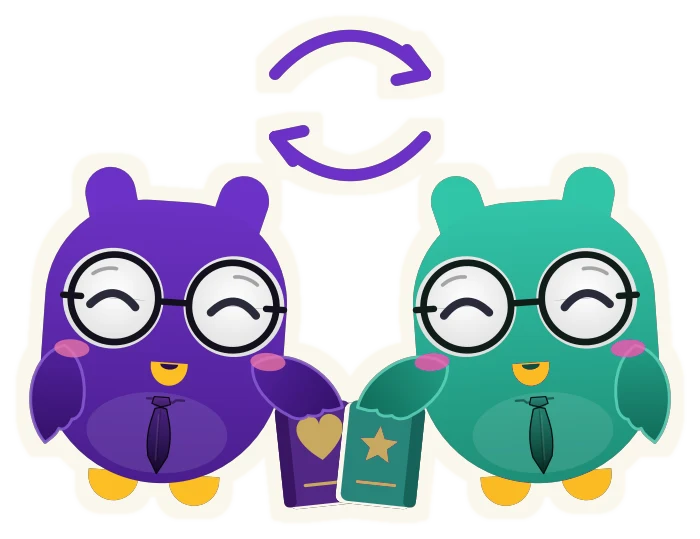
That is the whole idea behind book swaps on LinQfolio: one book for another, between readers, in person. Here is how it works, step by step.
How do book swaps work on LinQfolio?
You offer a book you own, another reader offers one of theirs in return, and if you like the offer, you meet up to swap.
No money, no points to collect: swaps are free, and designed to happen in person, in your city. Just two readers, two books and a meeting.
Step 1: list a book to swap
Everything happens in the Swap tab, in the app’s bottom bar.
To offer a book, you pick it from your collection, among the books you have marked as owned. That is on purpose: you only swap what you actually have in hand.
Then, three things:
- The book’s condition. Like new, very good, good or fair, with a short description, which is required: slightly creased spine, spotless pages, an inscription on the first page…
- The city of the swap. This is where you will be able to hand the book over in person.
- The genres you would like in return. Optional, but useful: a science fiction fan will know straight away that your listing is for them.
You publish, and your book joins the listings that readers around you can see.
Step 2: find a book near you
In the same tab, other readers' listings come up as cards, one at a time. The gesture is simple:
- swipe right to offer a swap;
- swipe left to pass;
- tap the card to see the details: the book’s condition, its description, the city, the person offering it.
Two buttons under the card do the same thing, if you’d rather tap than swipe.
Listings are shown from newest to oldest, or from nearest to farthest: your choice. Sorting by distance needs your location; without it, you simply browse the newest listings.
Step 3: make a swap offer
Found a book you want? You in turn pick, from your collection, the one you offer in exchange, give its condition, and add a message.
That message is required, and it is probably the most important step. Saying why you want this book is what turns a transaction into a conversation between readers. "I’ve been looking for the sequel for months" carries a lot more weight than an offer without a word.
The same book can’t be part of two swaps at once: a book you have already listed no longer appears among the ones you can offer. It becomes available again if the swap is declined or if you remove the listing.
Step 4: accept, or not
On the other side, the person who listed the book gets a notification, and your offer is waiting for them in the Requests tab. They see your book, its condition and your message, then accept or decline.
Declining is nothing personal. The book on offer is not always what someone is looking for, and that is exactly why the choice stays with the person giving their book away.
Step 5: meet up
Once an offer is accepted, a conversation opens between the two of you, with the next steps:
- agree on a place and a time;
- meet in a public place;
- swap your books there.
A café, a public library, a station concourse, the entrance of a bookshop: pick a busy spot that suits you both.
What LinQfolio does, and what it doesn’t
Let’s be clear about who does what. LinQfolio puts readers in touch: the app shows listings, passes on offers and opens the conversation. But LinQfolio is not a party to the swap: we don’t check the condition of books and we are not involved in handing them over.
Swaps happen between individuals, on trust. That is why the app insists on two things: describing the book you offer honestly, and meeting in a public place. If someone’s behaviour looks suspicious, you can report it from the app. The details are in our terms of use, and other questions about the app are answered in our FAQ.
Why swap your books instead of buying new ones?
Because a book is made to be read, and rarely more than once by the same person. Giving it a second reader extends its life without producing anything new.
Because it is also a different way of reading. A swap can lead you to a book you might never have picked in a shop, recommended by a reader who has held it in their hands.
And because at the end of a swap, there is a meeting. Two people who didn’t know each other already share at least one book. That is often a good start to a conversation.
In short
A book you own, a listing, an offer with a message, a yes, and a meeting in a public place. That’s all.
Open the Swap tab in LinQfolio, on iOS or Android, and see what readers around you have to offer. Your next read may already be a few streets away.